Demo
Note: This demo video shows an earlier Streamlit-based version. The current version uses a Flet-based desktop app with a different UI, but the core functionality is the same.
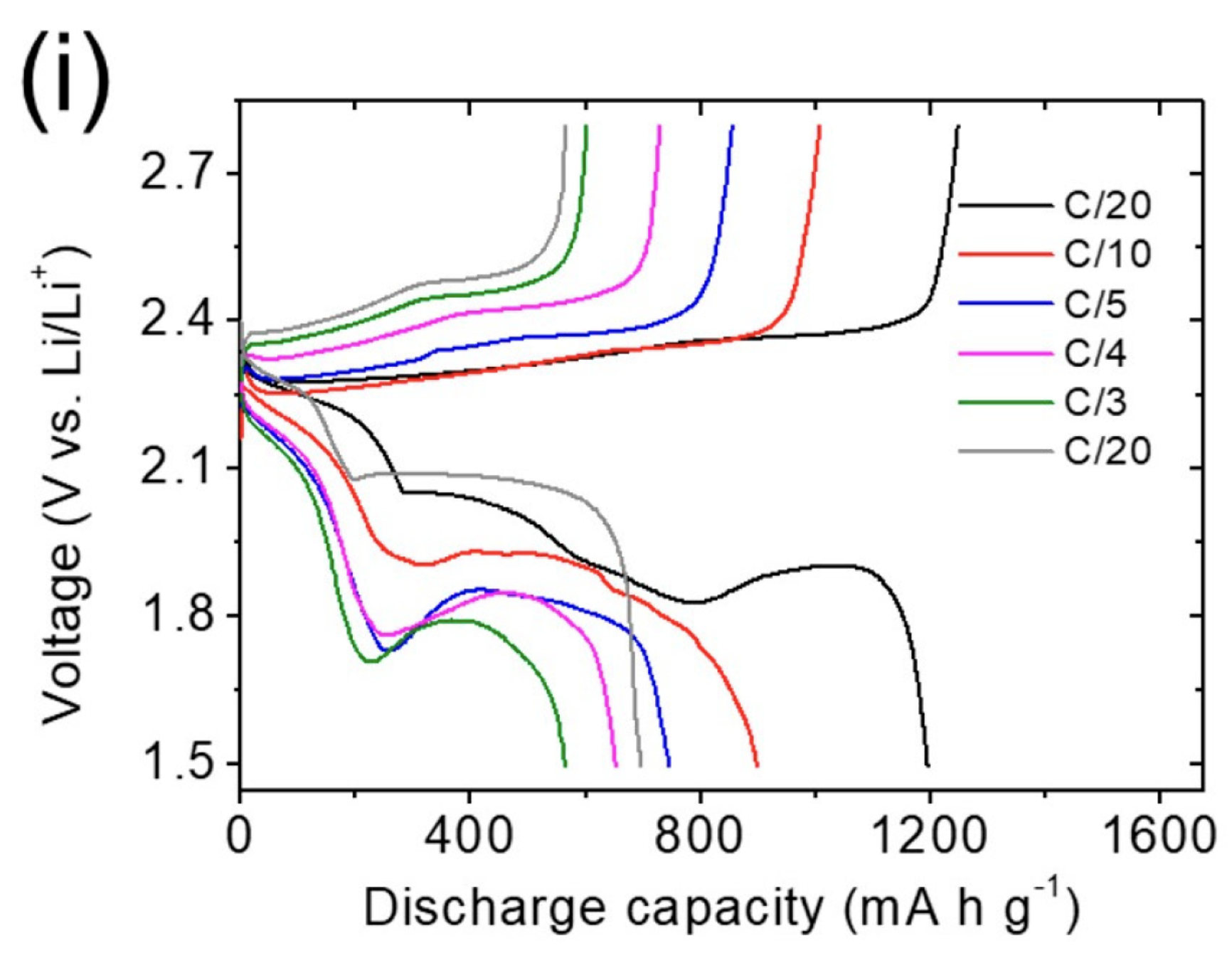
Input Image
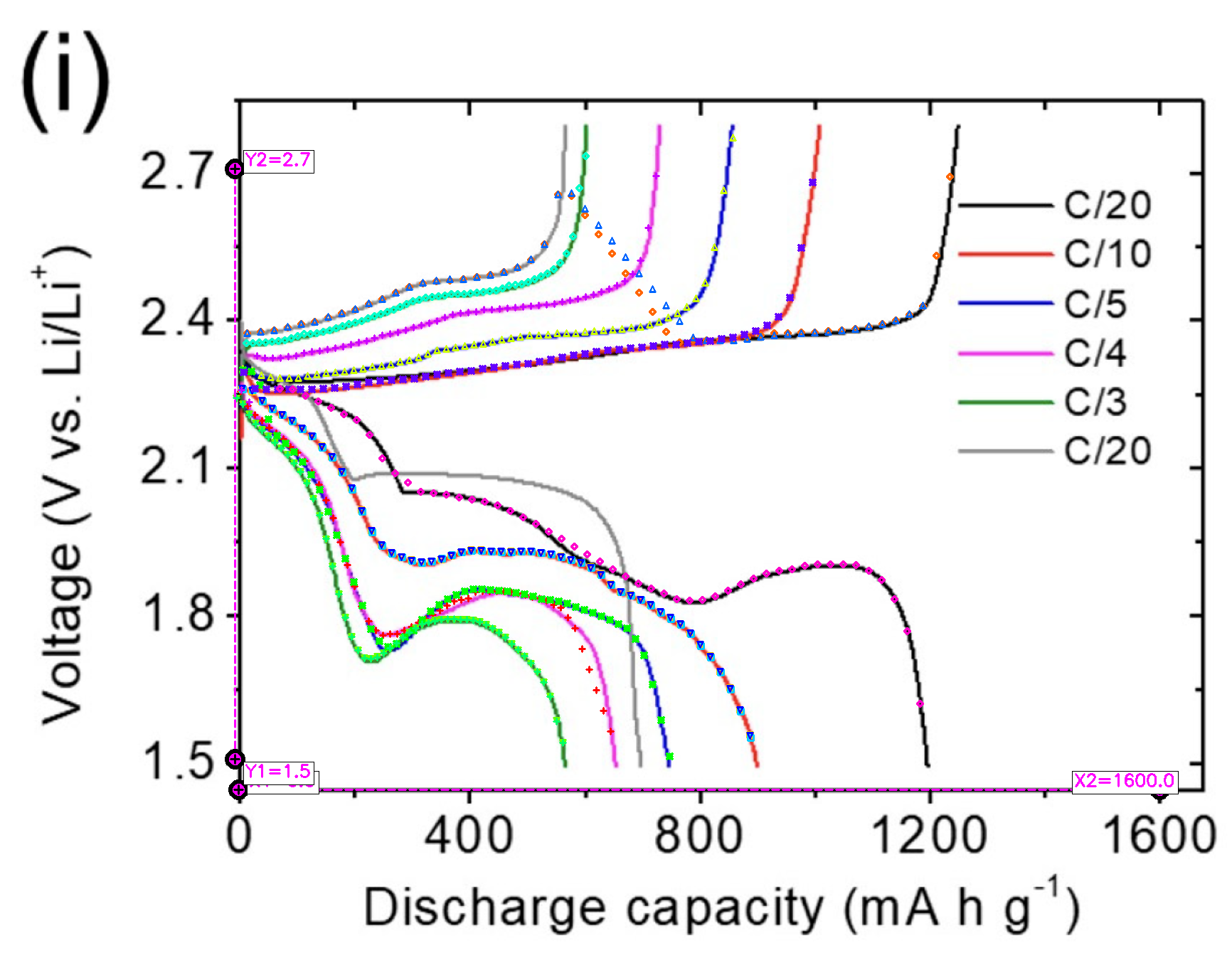
Extraction Result
Automatic line chart data extraction desktop application
High-precision automatic axis detection with LineFormer × ChartDete × EasyOCR
Total Downloads
―Note: This demo video shows an earlier Streamlit-based version. The current version uses a Flet-based desktop app with a different UI, but the core functionality is the same.
Automatic line detection using LineFormer extracts multiple lines from charts with high precision.
Automatic axis label reading via ChartDete + OCR provides accurate values without manual configuration.
Supports export in StarryDigitizer ZIP format and WebPlotDigitizer TAR format.
AutoLineDigitizer-macOS.zip from
Releases
AutoLineDigitizer.app to Applications folderAutoLineDigitizer-Windows.zip from
Releases
AutoLineDigitizer\AutoLineDigitizer.exe| Feature | WebPlotDigitizer | AutoLineDigitizer |
|---|---|---|
| Line Detection | Manual clicking | AI automatic |
| Axis Calibration | Manual input | OCR automatic |
| Speed | Manual | Fast |
| Precision | Very high | Good |
| Complex plots | Excellent | Basic |
| Best for | All chart types | Line charts |
| Platform | Web | Desktop (macOS/Windows) |
Extract data from dozens of published papers for systematic reviews and meta-analyses.
Process multiple similar charts from the same research domain quickly.
Recover numerical data from old publications where raw data is no longer available.
AutoLineDigitizer automates line detection and axis calibration using AI (LineFormer + OCR). WebPlotDigitizer gives you more manual control and precision. They work great together! Use AutoLineDigitizer for batch processing, then WebPlotDigitizer for refinement.
Works well for simple line charts with clear axes. For complex plots with overlapping lines or unclear axes, use WebPlotDigitizer for final refinement. Always verify important data manually.
CSV (comma-separated values), WebPlotDigitizer TAR format (for import and refinement), and StarryDigitizer ZIP format.
Yes! All AI models (LineFormer, ChartDete, EasyOCR) are bundled with the application. No internet connection required after installation.
They're complementary tools, not competitors! AutoLineDigitizer excels at batch processing and initial extraction. WebPlotDigitizer excels at precision and complex plots. Use both for the best workflow.
Absolutely! All processing happens locally on your computer. No data is sent to external servers. Your research data never leaves your machine.
Uses LineFormer, a deep learning model presented at ICDAR 2023, specifically trained on academic and scientific chart images.
Combines ChartDete (chart element detection) with EasyOCR for automatic axis label reading.
All processing happens locally on your computer with bundled AI models.